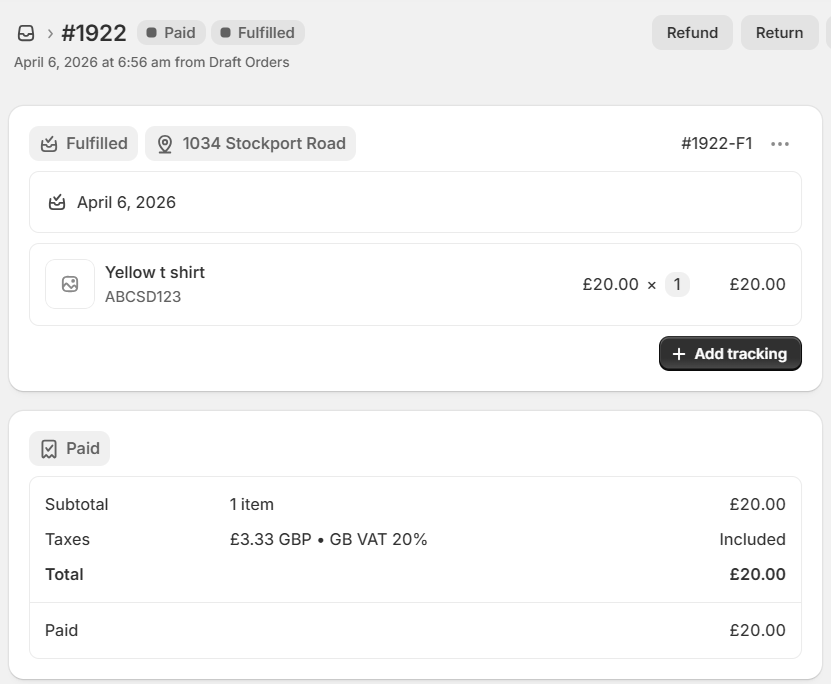
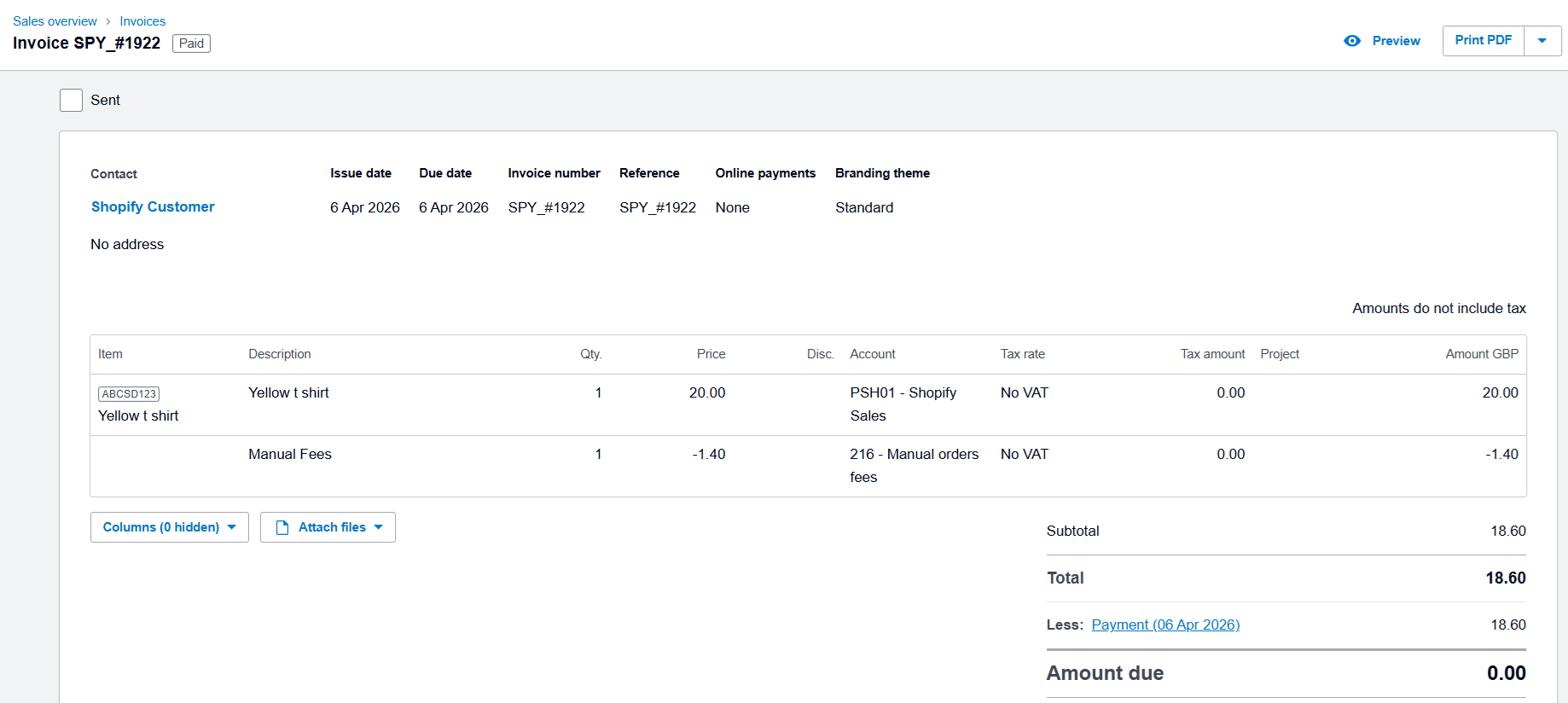
This feature syncs invoices in Xero with fees deducted on the basis of gateway. This feature can be set for the payment methods other than Shopify and PayPal.
Our app receives the fees data only for the Shopify and PayPal payment method orders from Shopify. However, for the other payment methods fees data is not received from Shopify side so our app does not sync the fees of other payment methods.
For other payment methods, if you want to sync the invoices by deducting the fees then this feature can be set. The fees amount will be deducted as per the % of transaction fee, Fixed fee amount defined in this feature. This fees can be synced to specific account selected in the feature. The reconciliation process will be easier as the invoices will be synced by deducting the fees.
To activate this feature, you need to contact our support team. Once the feature is activated by our support team, you will be able to view that feature in Free Section of our Feature list's Others tab..
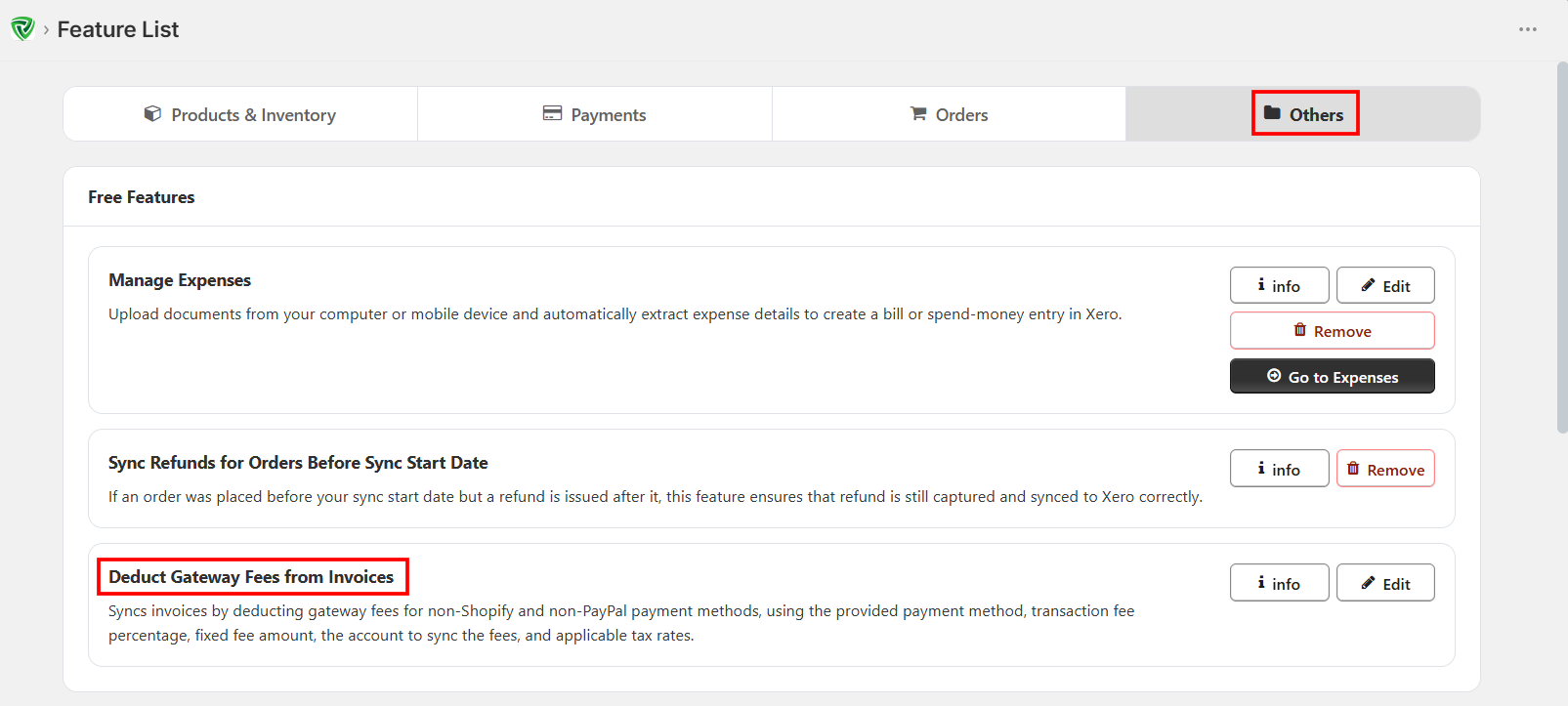
You have to click on ‘Edit’ button against this feature to make the configuration.
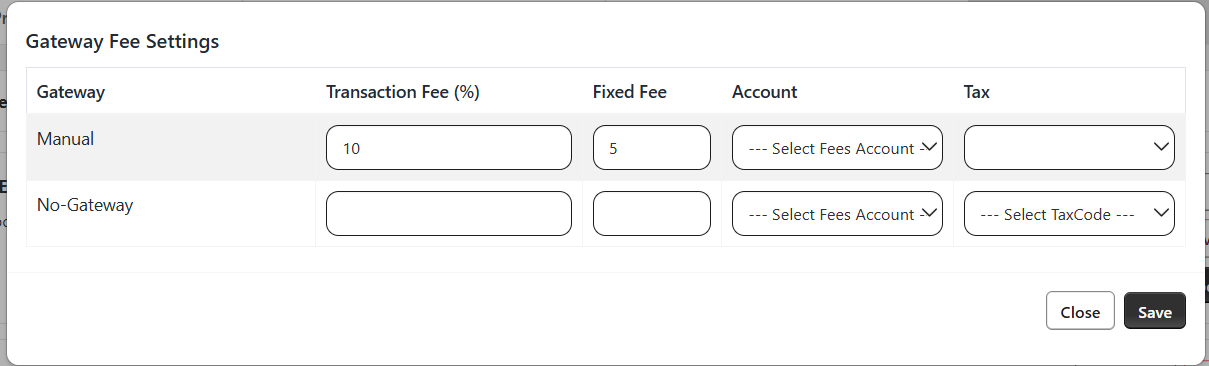
A pop up will appear displaying all the other payment method names. You need to enter the transaction fee in percentage, Fixed fee (If applicable).
Select the account in which you want to sync this fees and tax associated with that account will be automatically selected under ‘Tax’ column. If you want to change the tax then you can change it from the drop down list. Save the settings after configuration is complete.
Moving forward the orders will be synced by deducting the fees as per the configuration in this feature.
Below is the example order from Shopify and synced invoice in Xero.